Item Displays
Item Displays render a Minecraft item in your rig. They can be animated just like Groups: position, rotation, and scale keyframes all work.
Element Options
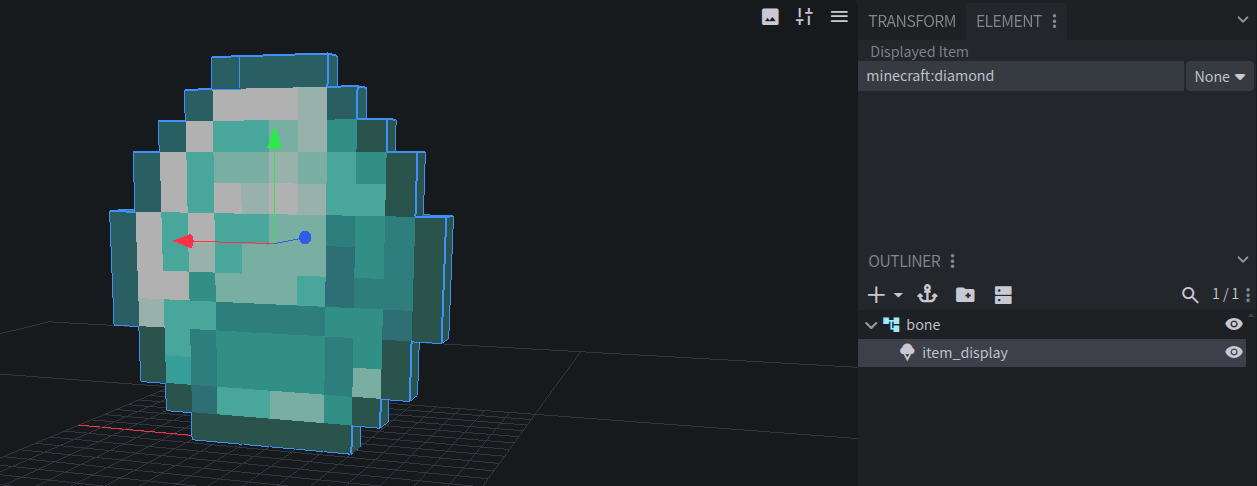
Displayed Item
The ID of the item to display, like
minecraft:diamond_sword. Set it in the Displayed Item panel.The item is checked against the item registry of your Target Minecraft Version, and unknown items get a warning. Items from your Preview Resource Packs show up in the editor, too.
Item Display Mode
Which of the item model’s display transforms to use, like holding it in a hand or wearing it on the head. Matches the
item_displayfield of anitem_displayentity:none,thirdperson_righthand,thirdperson_lefthand,firstperson_righthand,firstperson_lefthand,head,gui,ground, orfixed.Pivot
Item Displays rotate and scale around their pivot point. Move it with Blockbench’s pivot tool.
Entity Creation
An Item Display always creates an item_display entity.
Display Entity Config
Right-click an Item Display in the Outliner and choose Display Entity Config. See Display Entity Config.
 DP Icons